Bullet Fury 2 – Fast‑fire Action for Hardcore Shooters
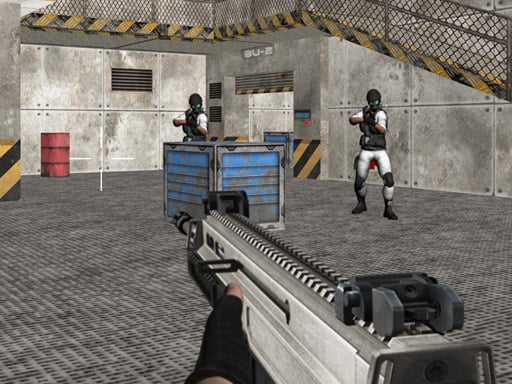
Bullet Fury 2 drops you into a gritty 3D Games arena where every second counts. Your squad uncovers a secret enemy lab, and the clock starts ticking. You’re the only gun‑ready soldier who can clear the corridor, silence the alarms, and stop the next wave of killing. If you love raw shooter thrills, this is the Android title that forces you to think, aim, and fire without pause.
Mechanics
Controls are stripped down to pure combat. Move, aim, and shoot with instinctual gestures. The game feels like a classic shooter, but it’s built on modern HTML5 tech for buttery‑smooth Mobile performance.
- Desktop Arrow keys or W A S D to move the character
- Mouse to turn the character aim and shoot
- L to lock pointer
- Mobile Use on-screen joystick to move fire button to shoot
- tap and drag on right side of the screen to aim and turn the character
Strategy
Winning isn’t about spraying endless bullets. You need a plan that balances aggression with tactical retreats. First, upgrade your weapons early. The game rewards you with better guns that cut through enemy armor faster, turning blood‑splatter into a score multiplier. Second, watch the respawn timer of enemy squads; they never all appear at once. Use that window to reload, heal, or reposition. Third, keep an eye on the environment. Explosive barrels, hidden vents, and high‑ground spots can turn a tight corridor into a kill zone. Finally, master the lock‑pointer feature (L on desktop) to steady your aim during intense firefights. The tighter your aim, the higher your headshot ratio, and the bigger the bragging rights among the boys in your army.
Ready to dominate the battlefield? Grab Bullet Fury 2 now, lock in your loadout, and prove you’ve got the reflexes to survive the ultimate shooter on Mobile. Powered by Pokid, this title pushes the limits of Android gaming—no lag, pure adrenaline. Download, fire, and let the carnage begin.
Desktop Arrow keys or W A S D to move the character Mouse to turn the character aim and shoot L to lock pointer Mobile Use on-screen joystick to move fire button to shoot tap and drag on right side of the screen to aim and turn the character