Click to play
x
Controls
Use mouse or touch on the screen
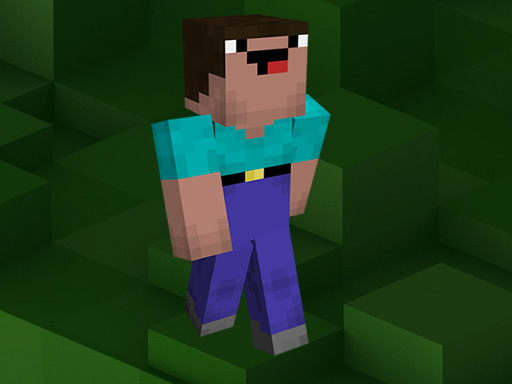
Noob Jigsaw
















Click to play
This game is not available on mobile.

Imagine a Minecraft‑styled jigsaw that fits perfectly on any mobile or desktop screen. Noob Jigsaw drops you into a funny, fast‑paced adventure where you pick one of nine vibrant pixel scenes and smash it together piece by piece. Whether you’re a kid hunting for casual fun or a seasoned gamer sharpening skill, the game promises the best mix of craft and challenge. Its HTML5 engine runs smooth on Mobile and PC, so you can play anywhere without a download. Every completed picture feels like a tiny victory, and the clock keeps you hungry for the next round.
The control scheme is stripped down to pure instinct. Click, tap, and drag to move pieces until they lock into place. Choose your difficulty – 16, 36, 64, or 100 pieces – and watch the pixel art morph from simple blocks to intricate mosaics. The interface is clean, letting you focus on the puzzle rather than menus. The game rewards quick thinking, so the faster you place each fragment, the higher your score.
Start with the edges. They form a natural frame and give you a reference for the interior. Scan the picture for unique colors or shapes – those odd‑ball pieces snap into place faster than generic blocks. When you hit a higher piece count, break the board into sections and solve each chunk separately. Keep an eye on the timer; each second saved adds a skill point that unlocks new skins and faster‑shuffle modes. Daily challenges rotate the image pool, so you’ll never run out of fresh content. Play in short bursts for a quick brain workout or marathon sessions to climb the global leaderboard.
Ready to flex your puzzle muscles? Jump straight into the action and see why Pokid is the go‑to brand for addictive HTML5 games. Click the link, start your first round, and watch your skill level skyrocket. Pokid delivers the fun you crave, the adventure you deserve, and the craft you can master – all in one pixel‑perfect package.

We use cookies to help you navigate efficiently and perform certain functions. You will find detailed information about all cookies under each consent category below.
The cookies that are categorised as "Necessary" are stored on your browser as they are essential for enabling the basic functionalities of the site.
Necessary cookies are required to enable the basic features of this site, such as providing secure log-in or adjusting your consent preferences. These cookies do not store any personally identifiable data.
Functional cookies help perform certain functionalities like sharing the content of the website on social media platforms, collecting feedback, and other third-party features.
Analytical cookies are used to understand how visitors interact with the website. These cookies help provide information on metrics such as the number of visitors, bounce rate, traffic source, etc.
Advertisement cookies are used to provide visitors with customised advertisements based on the pages you visited previously and to analyse the effectiveness of the ad campaigns.
We also use third-party cookies that help us analyse how you use this website, store your preferences, and provide the content and advertisements that are relevant to you. These cookies will only be stored in your browser with your prior consent.
You can choose to enable or disable some or all of these cookies but disabling some of them may affect your browsing experience.





















