Shaolin Sudoku: The Ultimate Puzzle Challenge
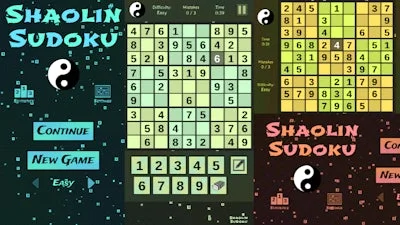
Looking for a puzzle game that will put your brain to the test? Shaolin Sudoku is a beautifully designed 2D Sudoku game that challenges you to fill in numbers correctly with only a few mistakes allowed per play. Developed by Pokid, this game is perfect for Sudoku enthusiasts and casual players alike.
Mechanics
Playing Shaolin Sudoku is easy, but mastering it is a different story. The game features intuitive controls that make it easy to navigate and play. Here are the controls:
- Go back, close menu, open game menu:
Keyboard - [ Esc / X / Numpad - ]
Gamepad - [ Cancel (East) ]
- Click or press menu buttons:
Keyboard - [ Submit (Enter) / Space ]
Gamepad - [ Submit (South) ]
- Navigate menu buttons or sudoku board:
Keyboard - [ WASD / Arrow keys ]
Gamepad - [ D-pad / Any stick ]
- Switch focus between menu buttons and sudoku board:
Keyboard - [ Ctrl / K / Numpad (/) ]
Gamepad - [ West / Select / Left shoulder]
- Toggle pencil or note:
Keyboard - [ Tab / N / Numpad + ]
Gamepad - [ North / Right shoulder ]
- Input/note number in cell:
Keyboard - [ Number or Numpad keys 123456789 ]
- Erase/empty cell:
Keyboard - [ Number or Numpad key 0 / Backspace ]
- Pause game:
Keyboard - [ ` / P / Numpad * ]
Gamepad - [ Start ]
- Fullscreen / window mode:
Keyboard - [ F11 ]
Strategy
To succeed in Shaolin Sudoku, you'll need to develop a solid strategy. Here are some tips to get you started: focus on filling in the easiest numbers first, use the process of elimination to narrow down your options, and don't be afraid to use notes to keep track of possible solutions. With three difficulty options available, you can choose the level of challenge that suits you best.
Ready to put your Sudoku skills to the test? Head over to Shaolin Sudoku to start playing now and experience the ultimate puzzle challenge for yourself. With its engaging gameplay and beautiful design, Shaolin Sudoku on Pokid is sure to keep you entertained for hours.
Instructions:
Controls
Go back, close menu, open game menu
- Keyboard - [ Esc / X / Numpad - ]
- Gamepad - [ Cancel (East) ]
Click or press menu buttons
- Keyboard - [ Submit (Enter) / Space ]
- Gamepad - [ Submit (South) ]
Navigate menu buttons or sudoku board
- Keyboard - [ WASD / Arrow keys ]
- Gamepad - [ D-pad / Any stick ]
Switch focus between menu buttons and sudoku board
- Keyboard - [ Ctrl / K / Numpad (/) ]
- Gamepad - [ West / Select / Left shoulder]
Toggle pencil or note
- Keyboard - [ Tab / N / Numpad + ]
- Gamepad - [ North / Right shoulder ]
Input/note number in cell
- Keyboard - [ Number or Numpad keys 123456789 ]
Erase/empty cell
- Keyboard - [ Number or Numpad key 0 / Backspace ]
Pause game
- Keyboard - [ ` / P / Numpad * ]
- Gamepad - [ Start ]
Fullscreen / window mode