Click to play
x
Controls
Keyboard
Throw Bomb











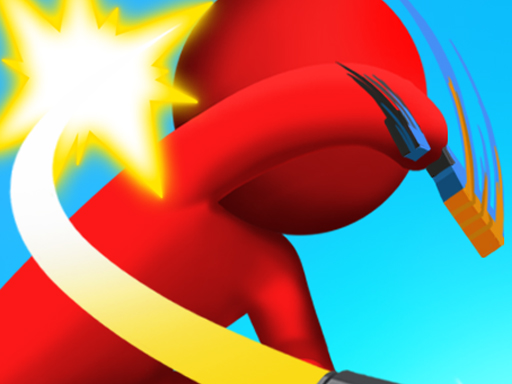




Click to play
This game is not available on mobile.

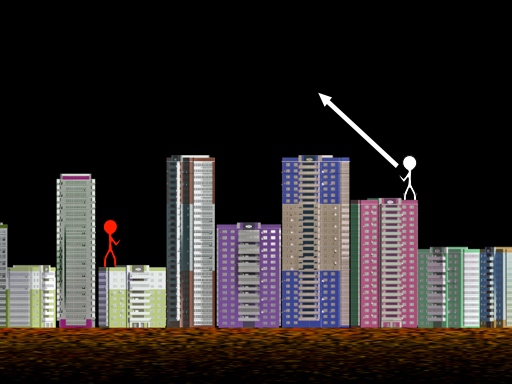
Classic 80’s vibes meet razor‑sharp physics in this 2D shooter. One tap, one angle, one explosive payoff. Whether you’re flying solo in 1 Player mode or challenging a buddy in 2 Player, the game’s simple gun‑style controls keep the adrenaline pumping. Pokid delivers a retro‑arcade experience that feels fresh every time you pull the trigger.
Control the bomb with a keyboard, aim with precision, and watch the physics do the rest. The interface is stripped down to the essentials: choose angle, set force, and fire. Every shot obeys realistic trajectories, so a small tweak can turn a miss into a perfect hit.
Mastering Throw Bomb isn’t about random blasts; it’s about reading the arc. Start by calibrating the angle in small increments. The farther the target, the lower the angle you’ll need to counteract gravity. In 2 Player mode, watch your opponent’s timing and force—mirroring their pattern can force a mistake. Upgrade your gun’s power by chaining successful hits; each chain adds a subtle boost to force, letting you reach farther platforms without re‑aiming.
Progression hinges on three loops: aim, fire, and adjust. As levels advance, obstacles introduce wind gusts and moving platforms, demanding quick recalculations. Keep an eye on the physics meter; a slight overshoot can ricochet off walls and destroy hidden bonuses. Collecting these bonuses unlocks new bomb types—sticky, split‑shot, and high‑explosive—each adding a tactical layer to the classic formula.
For solo runs, aim for the perfect “no‑miss” streak. The game rewards flawless sequences with extra lives and a permanent boost to the gun’s range. In 2 Player duels, dominate by predicting your rival’s rhythm and planting bombs where they’re forced to dodge, turning defense into offense.
Hit the launch button now, claim the leaderboard, and see why Pokid’s Throw Bomb is the go‑to title for anyone craving tight controls, crisp physics, and nonstop arcade thrills.

We use cookies to help you navigate efficiently and perform certain functions. You will find detailed information about all cookies under each consent category below.
The cookies that are categorised as "Necessary" are stored on your browser as they are essential for enabling the basic functionalities of the site.
Necessary cookies are required to enable the basic features of this site, such as providing secure log-in or adjusting your consent preferences. These cookies do not store any personally identifiable data.
Functional cookies help perform certain functionalities like sharing the content of the website on social media platforms, collecting feedback, and other third-party features.
Analytical cookies are used to understand how visitors interact with the website. These cookies help provide information on metrics such as the number of visitors, bounce rate, traffic source, etc.
Advertisement cookies are used to provide visitors with customised advertisements based on the pages you visited previously and to analyse the effectiveness of the ad campaigns.
We also use third-party cookies that help us analyse how you use this website, store your preferences, and provide the content and advertisements that are relevant to you. These cookies will only be stored in your browser with your prior consent.
You can choose to enable or disable some or all of these cookies but disabling some of them may affect your browsing experience.





















