Type Sprint – Fast‑Track Your Fingers
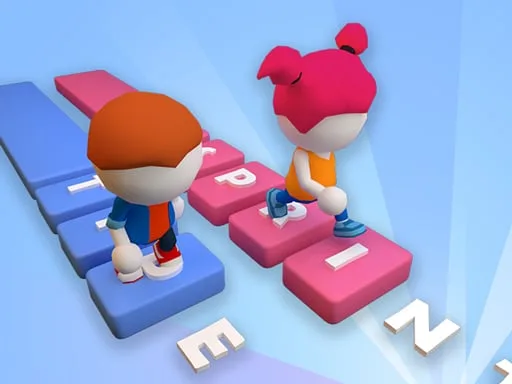
Speed‑typing meets arcade racing in a vibrant 3D arena where stickman runners sprint across platforms you build on the fly. Miss a keystroke, and your character stalls; nail it, and the track expands. The result? A frantic, addictive loop that turns every typo into a sprint‑break. If you crave a game that rewards raw typing skill and keeps the adrenaline pumping, this is the title that puts your keyboard to the test.
Mechanics & Controls
Mastering Type Sprint is simple: type fast, stay ahead. Whether you’re on a PC keyboard or a Mobile touchscreen, the core loop stays the same. Your input creates the path, and your stickman runs it.
- Letter input: Press the displayed letters on a physical keyboard or tap them on the on‑screen virtual keyboard.
- Platform generation: Each correct keystroke spawns a solid block beneath the runner, extending the race track.
- Continuous motion: The character auto‑runs; you never need to press a “jump” button.
- Speed boost: Chain correct letters without mistakes to trigger a burst that outruns rival racers.
- Fail state: A missed letter leaves a gap—fall in, and the run ends.
Winning Strategies
Top scores aren’t just about raw speed; they’re about rhythm and foresight. Aim for consistent streaks—each uninterrupted run builds a combo meter that unlocks temporary Unity3D‑powered power‑ups like “Auto‑Build” or “Speed Surge.” Upgrade your stickman’s stamina by completing daily challenges, then tackle harder racing tracks that demand faster typing tempos. Remember, the longer you keep the platform chain alive, the more points you rack up, and the more exotic arenas you unlock. Keep an eye on the opponent’s pace; a well‑timed boost can turn a close chase into a decisive win.
Ready to prove your typing muscles? Download Type Sprint now, smash the high‑score board, and experience the rush that only Pokid can deliver. Jump into the fast‑lane with Type Sprint and feel the thrill of every keystroke—your stickman is waiting.
letters on keyboards or taping virtual keyboard on the screen