What a Leg: The Ultimate 3D Racing Challenge
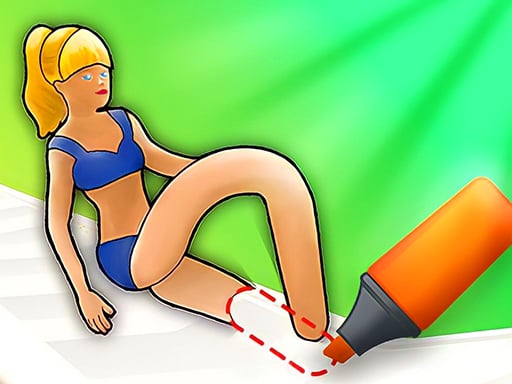
Imagine a world where runners have no legs, and it's up to you to draw them a pair to reach the finish line. Sounds crazy, right? That's what makes What a Leg so much fun! With its unique blend of drawing and racing, this Unity3D game is perfect for kids and adults alike. As a 2 Player game, you can compete against friends or play solo in single player mode. The goal is simple: draw legs for your runner and navigate through challenging parkours filled with obstacles. With WebGL technology, the gameplay is smooth and immersive, making it a great experience for players of all ages.
What a Leg Game Mechanics
The controls are easy to master. In single player mode, use your MOUSE and LEFT-CLICK to draw legs for your runner. In two player mode, things get more exciting. After drawing legs at the beginning of the game, use the following keys to switch between legs:
- Player 1: W, A, S, D
- Player 2: ARROW KEYS
Strategy and Progression in What a Leg
As you progress through the game, you'll need to develop your skill and fun drawing legs to overcome increasingly difficult obstacles. With each level, the parkours become more challenging, requiring you to think creatively and draw the right type of legs to succeed. Whether you're playing as a girl or a baby character, the goal remains the same: reach the finish line as quickly as possible. At Pokid, we're committed to providing the best gaming experiences, and What a Leg is no exception.
So, what are you waiting for? Join the Pokid community today and start playing What a Leg! With its unique blend of drawing and racing, this game is sure to provide hours of entertainment for kids and adults alike. Don't miss out on the fun – start playing now and show off your skill in this exciting 2 Player game!
Single player mode Use MOUSE and LEFT-CLICK to draw legs Two player mode After drawing legs at the beginning of the game use the keys below for switching between the legs Player 1 W A S D Player 2 ARROW KEYS