Zombie Siege: The Last Stand Against the Undead
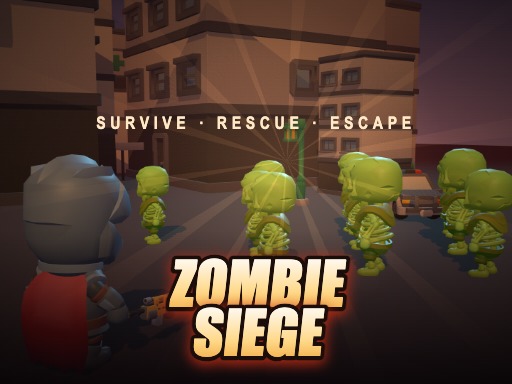
You're the last line of defense in a city overrun by zombies. The streets are filled with the undead, and it's up to you to survive and rescue trapped survivors. With a variety of weapons and a squad to build, you'll need to fight your way through hordes of zombies and powerful bosses to stay alive. As a fan of casual shoot and survival games, you'll love the action-packed gameplay of Zombie Siege, brought to you by Pokid.
Zombie Siege Mechanics
The controls are easy to learn: on desktop, use the WASD arrows to move, and enjoy auto-fire when zombies get in range. You can also use E to throw a bomb and Shift to dash. On mobile, play in landscape mode and use the left stick to move, with auto-fire kicking in when zombies are near. Tap buttons to throw a bomb or dash. The gameplay is designed to be fast-paced and intense, with a focus on survival and strategy.
- Desktop: WASD arrows to move, auto-fire in range, E bomb, Shift dash
- Mobile (Landscape only): left stick to move, auto-fire in range, tap buttons for bomb, dash
Zombie Siege Strategy
As you progress through the game, you'll need to develop a strategy to stay alive. Rescue survivors to build a strong squad, with a shield tank up front, a sharpshooter at your side, and a medic in the back. Kills will drop medkits and bombs, while bosses will drop permanent upgrades. You'll also unlock new weapons as you progress, giving you more options to take down the zombie hordes. With Pokid's commitment to delivering high-quality casual games, you can expect a fun and challenging experience.
So, what are you waiting for? Head to the Pokid homepage to learn more about Zombie Siege and other great games. With its unique blend of shoot and survival gameplay, Zombie Siege is the perfect game for anyone looking for a fun and challenging experience. You'll need to be quick on your feet and ready to take on the undead hordes if you want to survive. The question is, how far can you make it in Zombie Siege?
Desktop WASD arrows to move middot auto-fire in range middot E bomb middot Shift dash Mobile Landscape only mdash left stick to move middot auto-fire in range middot tap buttons for bomb dash