Lav Runner – Fast‑paced Arcade Mayhem
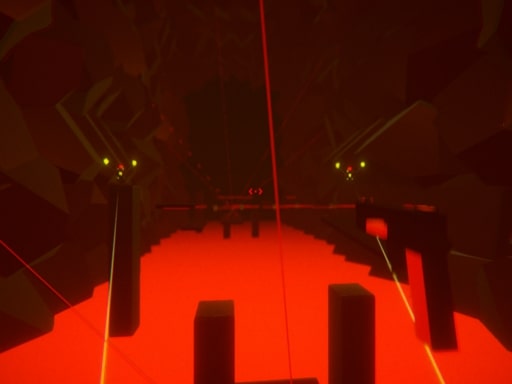
Heat spikes, relentless robots, and a river of lava chasing your back. One button, two joysticks, endless adrenaline. If you love 3D Games that crank the pulse, this Action title from Pokid drops you into a frantic run that never slows. Every second you survive adds to a high‑score that screams “I’m the best.” The stakes? Burned pixels, shattered robots, and bragging rights on the global leaderboard.
Mechanics
The control scheme is stripped down to the essentials. Master it, then focus on the chaos.
- Use WASD SPACE keys to play
- Use mouse cursor to rotate 360 degrees
- Press the p key to stop the game
- Mouse Click shoot
- You can choose the graphic setting from the settings menu
Strategy
Speed alone won’t cut it. Here’s how the pros dominate the Shooter‑heavy arena:
- Stay centered. The lava edge moves faster than you think; hugging the middle gives you reaction time.
- Chain your shots. A single click clears a robot, but rapid fire locks down clusters before they swarm.
- Upgrade on the fly. Collect glowing cores to boost fire rate, shield durability, or sprint speed.
- Watch the rhythm. The game pulses in cycles; each wave introduces a new enemy pattern. Learn the timing and you’ll anticipate rather than react.
- Use the pause wisely. Press p only when you need a breather; the timer keeps ticking in the background, so a quick pause can save a life without costing points.
Progression is tied to your running distance and kill count. Reach the 10‑kilometer mark and the arena unlocks a hidden “Neon” mode—brighter visuals, tighter lava, and a massive score multiplier. Keep your eyes on the multiplier bar; a single flawless run can vault you into the top tier of the global leaderboard.
Think you can outrun the heat and outshoot the bots? Jump in, lock your aim, and dominate the arena. Download Lav Runner now and prove you belong in the elite circle of Pokid champions.
Use WASD SPACE keys to play Use mouse cursor to rotate 360 degrees Press the p key to stop the game Mouse Click shoot You can choose the graphic setting from the settings menu