Modern Car Parking Master 2020: Free Car Game 3D – The ultimate test of precision and speed
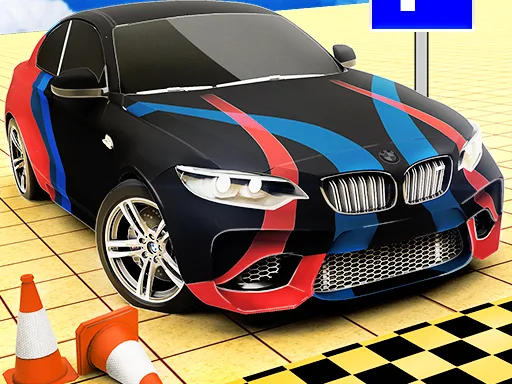
Stuck in the same old arcade loops? This hypercasual title throws you into tight city streets, crowded lots, and daring jumps. Every level feels fresh, thanks to crisp 3D graphics and a roster of supercars that scream performance. Master parallel parking, pull off perfect drifts, and watch your score climb. If you love driving, love challenges, and love bragging about the best scores, this game hits the sweet spot.
Mechanics
Control feels tight, responsive, and built for keyboard warriors. Press, tilt, and steer with confidence. The interface strips away fluff so you can focus on the car and the obstacle ahead.
- Arrow Up – Accelerate forward
- Arrow Down – Brake / reverse
- Arrow Left – Turn left
- Arrow Right – Turn right
- Spacebar – Handbrake for sharp drifts
- Shift – Activate boost for quick jumps
Strategy
Start with the beginner lot. Learn the ideal turning radius before you attempt a parallel park on a busy boulevard. Timing is everything—hit the brake just before the curb, then release to glide into the slot. Use the handbrake to initiate a controlled drift when the space is too tight for a normal turn. Collect coins scattered across each level; they unlock faster cars and special upgrades. Upgrading a supercar’s handling can shave seconds off a jump, while a boost upgrade lets you clear larger obstacles. Keep an eye on the meter: each crash adds a penalty that can knock you out of the top leaderboard. Master the rhythm of acceleration, braking, and drifting, and you’ll dominate the arcade‑style leaderboards.
Ready to prove you’re the parking king? Download Modern Car Parking Master 2020: Free Car Game 3D now and start stacking perfect parks. Join the community of drivers who crave fast drift action, daring jump sequences, and the thrill of supercars on demand. For more hypercasual hits, check out Pokid and keep the adrenaline pumping.
Keyboard Controls