Funny Battle - War Simulator: The Ultimate War Experience
Are you ready to unleash your inner general and take control of a massive army? Look no further than Funny Battle - War Simulator, the ultimate war experience from Pokid. With its unique blend of humor and strategy, this game is sure to keep you on the edge of your seat as you battle your way through hordes of enemies.
Mechanics: Easy to Play, Hard to Master
Controlling your army is easy, but mastering the art of war takes skill. Use the Left Mouse Button to create units, the Right Mouse Button to delete them, and the WASD keys for standard movement. Hold the Right Mouse Button to move your units at an alternative speed, and use the Shift key to speed up your movement. You can also rotate the camera using the Q and E keys. With these simple controls, you'll be ready to take on the enemy in no time.
- Left Mouse Button: Create Unit
- Right Mouse Button: Delete Unit
- WASD: Standard Movement
- Right Mouse Button (Hold): Alternative Move
- Shift: Speed up the movement
- Q E: Rotate the camera
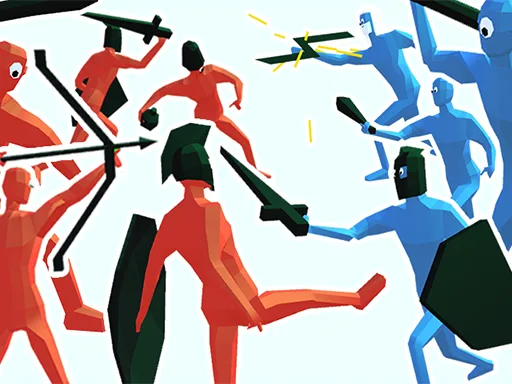
Strategy: Outwit Your Enemies and Crush Them
To emerge victorious, you'll need to outwit your enemies and use the right tactics to crush them. Send Cyclops and Spartans into battle, use grenadiers to throw grenades at enemies, and even control the great Zeus to throw lightning bolts. With a wide range of units at your disposal, you'll have the tools you need to take down even the toughest foes. Prove that you are the best general in the world and show off your tactical skills.
With its unique blend of humor and strategy, Funny Battle - War Simulator is the perfect game for anyone looking for a challenge. So why wait? Visit Pokid today and start playing this epic game. You can also check out the game's full features, including large-scale and spectacular battles, unique and funny units, ragdoll physics of enemies, and beautiful graphics, in Funny Battle - War Simulator.
Left Mouse Button - Create Unit Right Mouse Button CTRL - Delete Unit WASD - standard movement WASD Right Mouse Button Hold - Alternative Move Shift - speed up the movement Q E - Rotate the camera