Controls
- A/D or left/right arrow keys = move
- Space = jump
- E = open inventory
- Hotkey 1-9 = use hotkeys
- Left mouse button = attack / mine
- Right mouse button = place / use item / interact
- Esc = pause
- W/S = fly in creation mode
- LeftShift = sprint
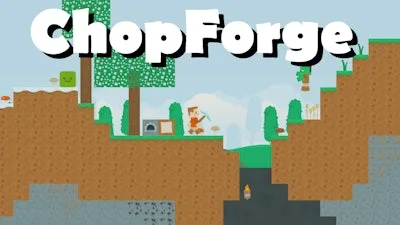


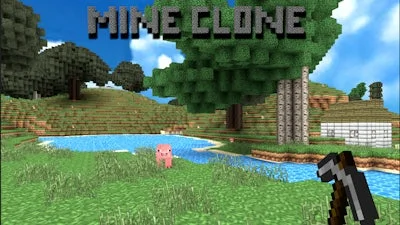
Imagine a 2D sandbox where every block is yours to shape. ChopForge hands you the tools, the mobs, the raw materials. Survival mode tests grit; creation mode rewards imagination. Whether you’re a hardcore miner or a casual builder, the game cranks the fun dial to eleven. Pokid designed this pixel‑perfect playground for players who love Minecraft‑style freedom without the endless loading screens.
Controls are tight, responsive, and built for fast‑paced action. Master the basics, then start stacking, crafting, and fighting.
Start by scouting a safe zone. Gather basic ores with a simple pick, then upgrade to a steel axe for faster mining. Early blocks like stone and dirt are cheap, but copper and iron unlock higher‑tier crafting recipes. Build a shelter before nightfall; the first wave of enemies can shred unprotected players. In survival, prioritize food and torches—light wards off the creepers that love darkness.
When you switch to creation mode, unleash the full potential of your inventory. Layer different block types to form hidden rooms, trap doors, or automated farms. Use redstone‑like circuitry for doors that open on a timer, or set up a conveyor of pistons to move items across the map. Remember: every block you place can become a strategic advantage.
Keep an eye on your stamina bar. Sprinting with LeftShift drains it quickly, but a short burst can rescue you from a hostile mob ambush. Combine sprint runs with well‑timed jumps to clear gaps or dodge projectile attacks. As you progress, experiment with hybrid builds—mixing decorative pixel art with functional crafting stations creates a base that looks good and works better.
Pokid’s updates often introduce new enemy types and rare block variants. Stay adaptable: a fresh biome might require a different mining approach or a new crafting formula. Join community forums, swap schematics, and watch how top players chain together mining, building, and combat for maximum efficiency.
Ready to carve your own legend? Jump into ChopForge now, claim the first block, and show the world how a true pixel architect dominates the sandbox.

We use cookies to help you navigate efficiently and perform certain functions. You will find detailed information about all cookies under each consent category below.
The cookies that are categorised as "Necessary" are stored on your browser as they are essential for enabling the basic functionalities of the site.
Necessary cookies are required to enable the basic features of this site, such as providing secure log-in or adjusting your consent preferences. These cookies do not store any personally identifiable data.
Functional cookies help perform certain functionalities like sharing the content of the website on social media platforms, collecting feedback, and other third-party features.
Analytical cookies are used to understand how visitors interact with the website. These cookies help provide information on metrics such as the number of visitors, bounce rate, traffic source, etc.
Advertisement cookies are used to provide visitors with customised advertisements based on the pages you visited previously and to analyse the effectiveness of the ad campaigns.
We also use third-party cookies that help us analyse how you use this website, store your preferences, and provide the content and advertisements that are relevant to you. These cookies will only be stored in your browser with your prior consent.
You can choose to enable or disable some or all of these cookies but disabling some of them may affect your browsing experience.